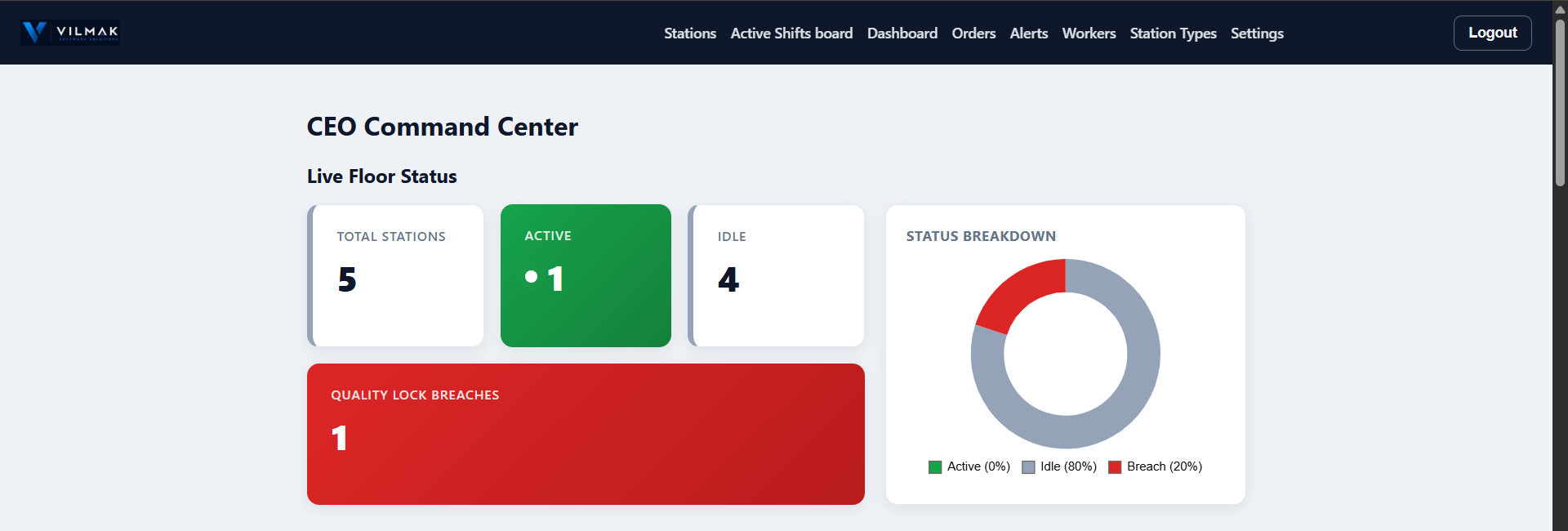
The CEO Command Center — live station counts, quality lock breaches, and status breakdown at a glance.
Live shift tracking, quality walkaround checks, and automatic scrap-cost reporting — built for tablets on the shop floor, not spreadsheets.
Talk to us Already a customer? Log in → By Vilmak| Station | Status | Worker | Since |
|---|---|---|---|
| Extruder 1 | OPEN | Maria K. | 12 min ago |
| Welder 3 | OPEN | James O. | 4 min ago |
| Winder 1 | IDLE | — | — |
| Packing Line 2 | OPEN | Sara T. | 46 min ago |
See every station's status update instantly — who's checked in, since when, no refreshing required.
Configurable interval reminders keep workers doing walkaround checks — overdue stations flag automatically.
Daily, weekly, and monthly reports land in the right inboxes automatically — no manual pulling of numbers.
Track material waste per station type and see the real cost, calculated automatically from your own formulas.
A configurable checklist gates dispatch unit by unit — good units ship on time, failed ones stay held back until they're re-checked and pass.
A worker flags a problem straight from the station — it lands live on a manager's alerts screen, with response time tracked automatically.
No new process to learn — it runs alongside the shift patterns you already have.
On the tablet mounted at the station. The station flips from IDLE to OPEN instantly, visible on the Active Shifts board to anyone watching — not just the person standing there.
At whatever interval you set. Miss one and it's flagged automatically — no chasing a paper checklist round the floor at the end of the week.
Costed automatically from your own formulas, timestamped against the right station and shift — not reconstructed from memory afterwards.
Departments that need it can gate dispatch on a QC checklist — good units still ship on time, while anything that fails stays held back until it's re-checked and passes.
Daily, weekly, and monthly summaries go out automatically. Nobody has to remember to pull the numbers together.
Large touch targets, a handful of buttons, and no unnecessary steps — designed for a tablet mounted at the station, used by workers who don't have time to fight with software.
What does that give you? Live visibility instead of yesterday's paperwork.
The CEO Command Center — live station counts, quality lock breaches, and status breakdown at a glance.
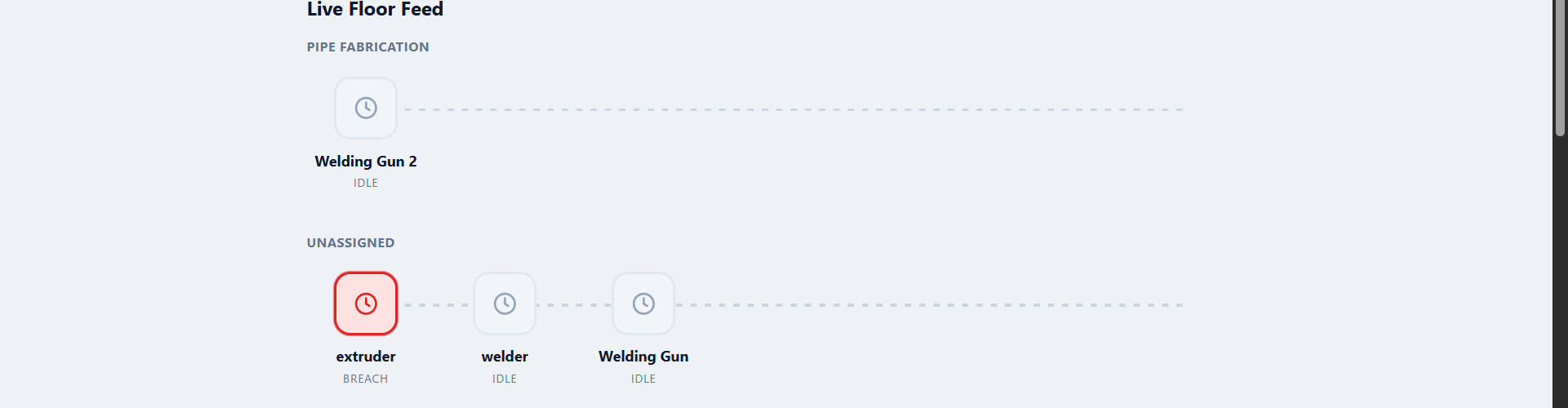
The Live Floor Feed — every station, grouped by department, with breaches flagged the moment they happen.
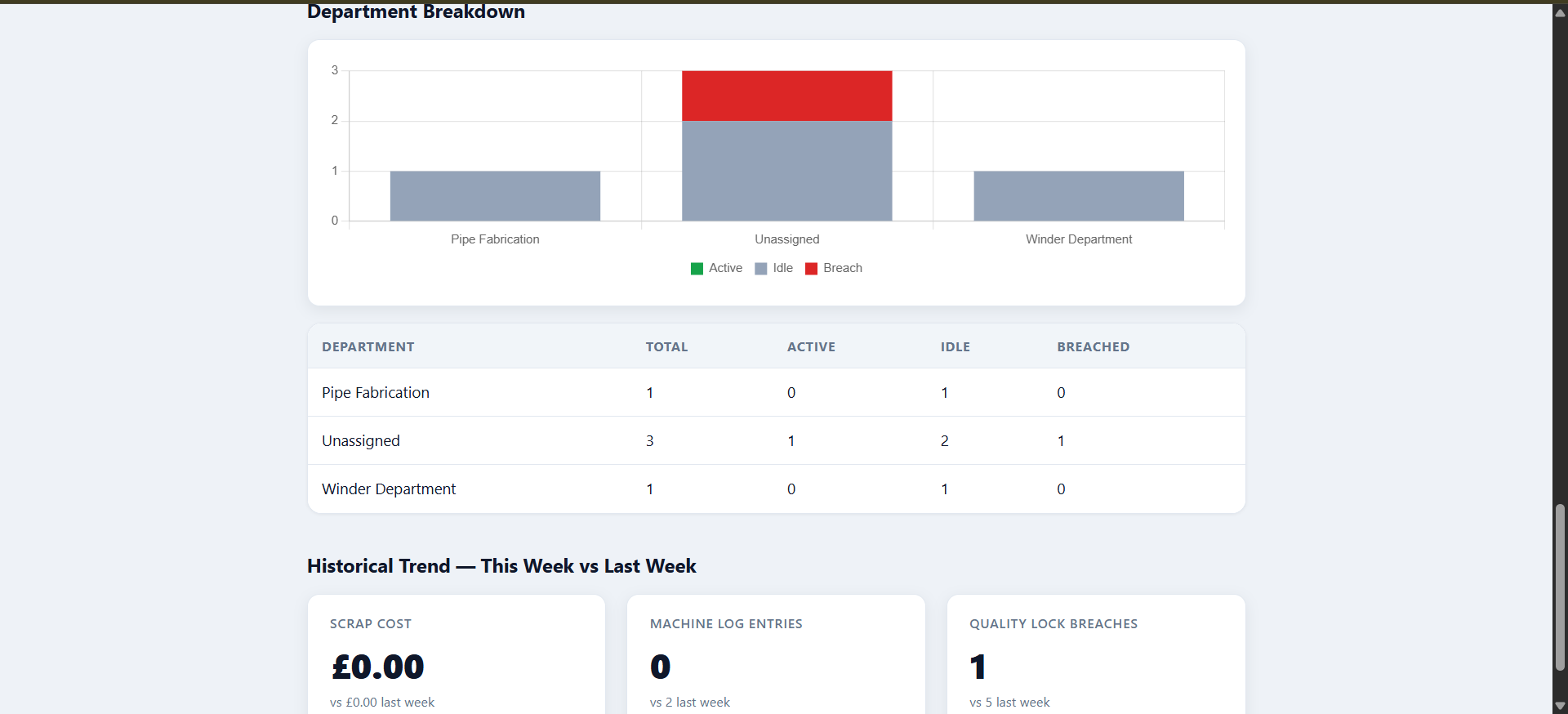
Department breakdowns and week-over-week trends — scrap cost, log entries, and quality lock breaches.
Not a full rollout on day one — a real test, on your own floor.
We'd rather prove this works on one department or one shift pattern first than ask you to commit to the whole factory upfront. We set it up together, run it alongside whatever you're using now, and only talk about rolling it out further once you've seen it work with your own numbers.
If it's not saving you time, tell us and we stop there — no long contract to get out of.
A tablet mounted at each station is the usual setup. See our recommended hardware guide for what we suggest and why.
No. There's no server for you to run and nothing to install beyond a browser on a tablet. We handle the setup with you directly.
Yes — each factory runs on its own separate account. Nobody outside your business sees your data.
Yes — a QC checkpoint can gate dispatch per unit against a checklist you configure. Good units ship on time; anything that fails stays blocked until it's re-checked and passes. It's opt-in per department, so it only applies where you actually want it.
Yes — see Pilot above. That's exactly how we prefer to start.
Tell us a bit about your setup and we'll talk you through what a pilot would look like.
Talk to us